
Meta Pixel in your Shoper store in three minutes
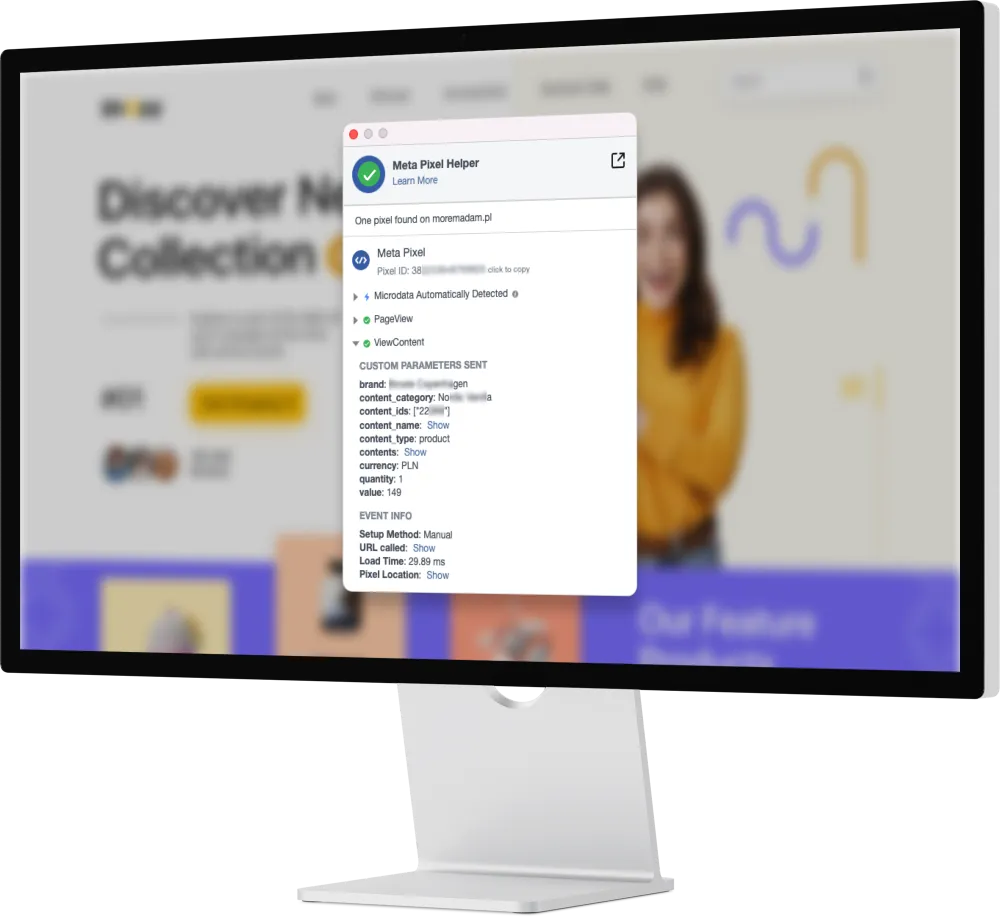
99% of the Shoper stores I consult don't send correct conversion events to Meta Events Manager.
- PLN 999 net
- configuration file, licence and video guide
Shoper is a Polish e-commerce platform. The checkout is in Polish and prices include Polish VAT.

Why is this happening?
Shoper switched off the old Meta Pixel integration, so store owners have to use the new one. Unfortunately, Shoper's new plugin doesn't follow Meta's documentation for sending e-commerce events.
With the new integration, Shoper stores send incorrect data to Meta: with wrong or missing parameters, or with the wrong number of events.

Why does it matter?
- Without a correct Meta Pixel setup, you don't collect real analytics data in Meta Events Manager, so…
- The ad system can't recognise your customers as people who took specific actions (e.g. viewed, added to cart or bought products). This means that…
- Your store's ad campaigns are (and will be!) ineffective, no matter how well you target them.
Until now, the fix was a custom Meta Pixel implementation in the store's code. Now you can do it cheaper and faster.
How do I fix it in my store?
I've prepared a correct setup that you can turn on in your store in three minutes. Even if you know nothing about coding!
Instead of digging through your store's code or looking for a developer to configure every event your store sends to Ads Manager by hand, just import the file I've prepared.
The whole thing – download included – takes three minutes.
Is my store collecting (in)correct events?
Examples of incorrect data sent by a store
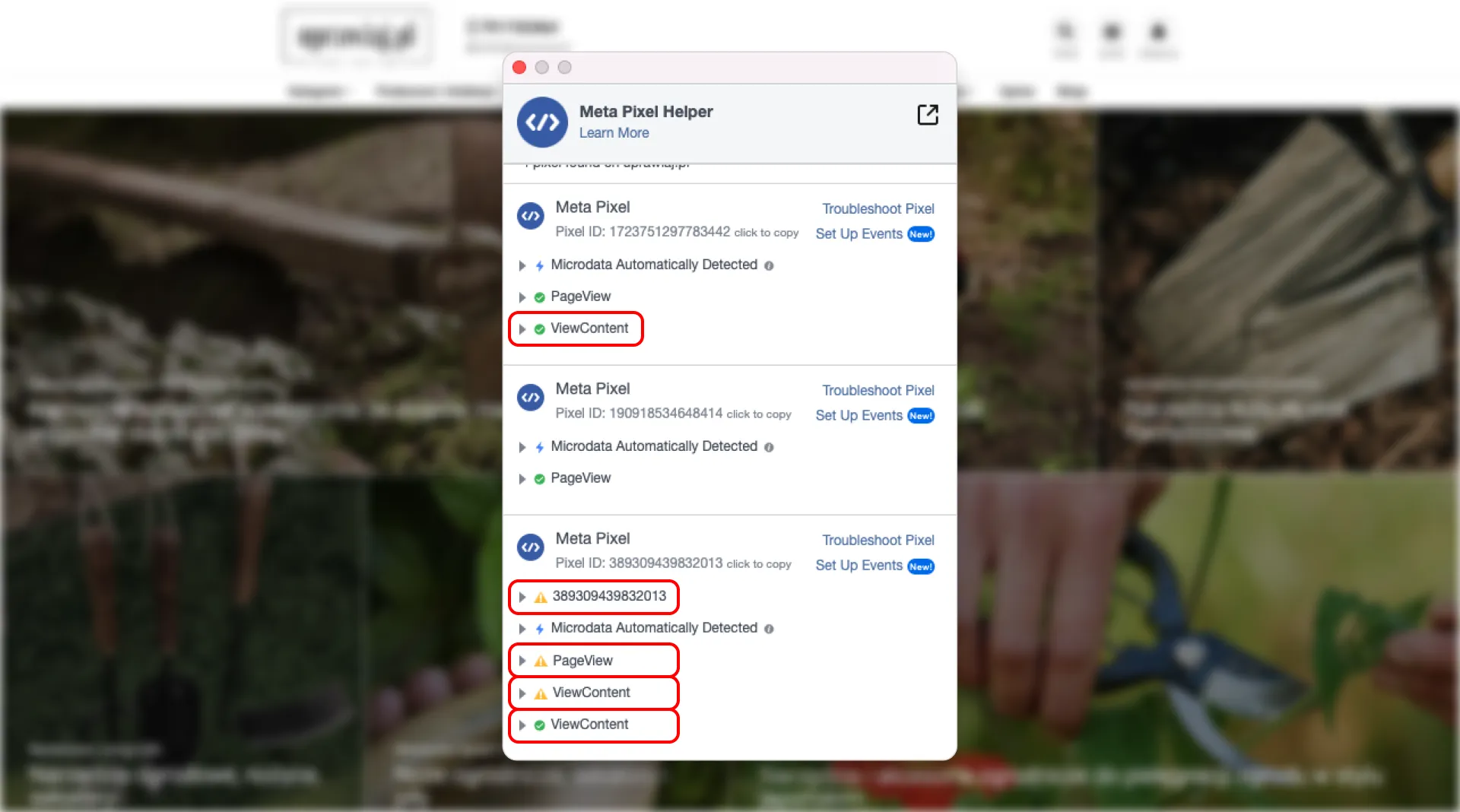
- A product view event sent from the store's home page
- Events without a name
- Events with a yellow warning sign
- Duplicate events
Ask me for free
Leave your contact details and I'll let you know whether the Meta Pixel in your store sends data correctly.
Check it yourself in Meta Events Manager
- Open Meta Events Manager.
- Choose the test events tool.
- Enter your store's home page address.
- Go back to Events Manager and check whether it recorded a “ViewContent” event. If it did, your store sends incorrect data.
Check it yourself with the Meta Pixel Helper extension
- Go to your store.
- Open the Pixel Helper extension.
- If a “ViewContent” event shows up on the home page, your store sends incorrect data.
How does the setup work?
Download the configuration file
Turn off the current integration and enable the data layer
Add the file to your Google Tag Manager
Think of my solution as an external integration, an extension, an automatic setup, a plugin or a package. Either way, you'll have it running in 3 minutes at most, and it works right away!
Voilà! From now on you collect correct data, and your ad campaigns can finally be optimised properly!
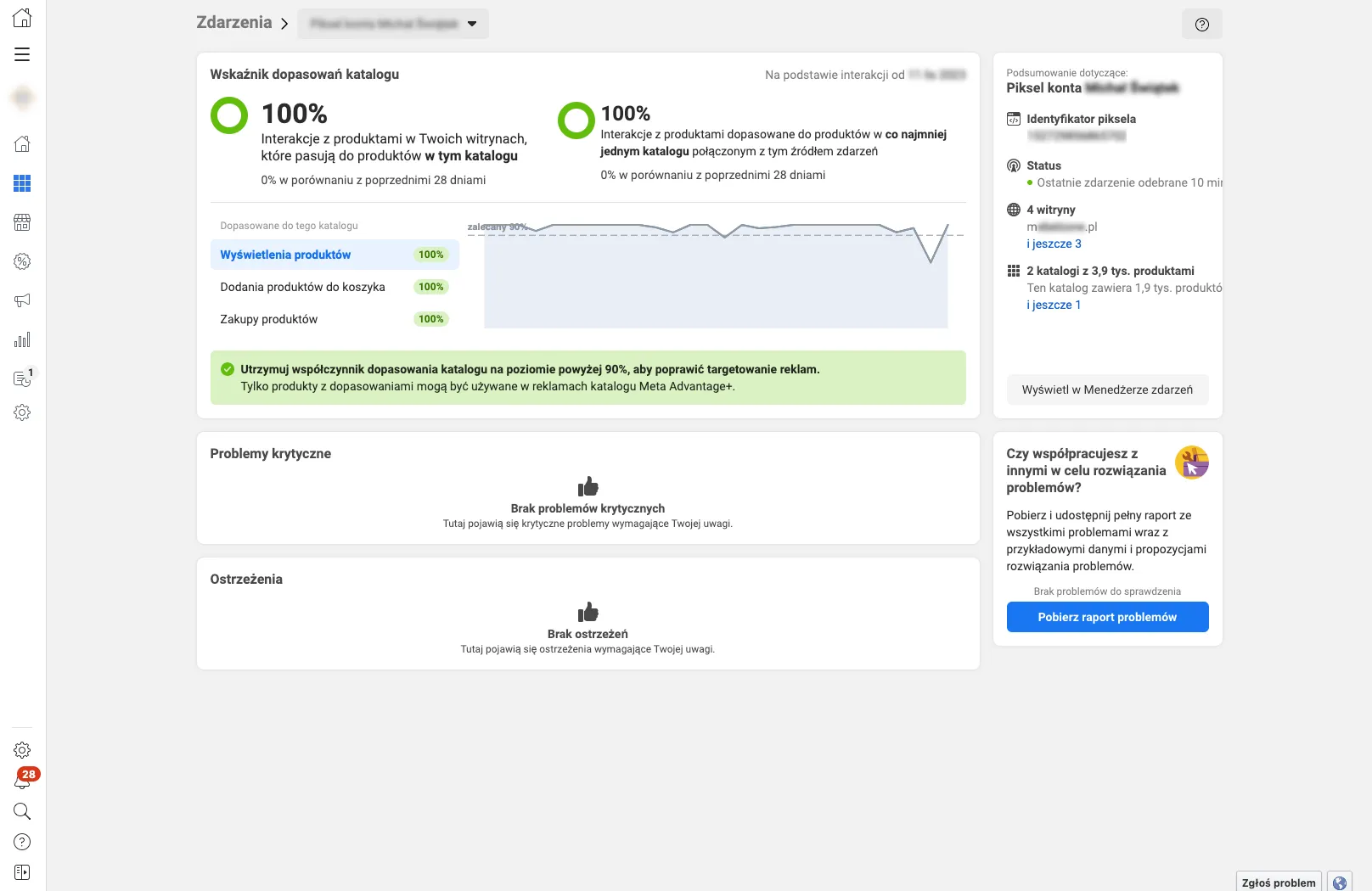
What does the setup achieve?
Auto-setup · ready in 3 minutes
Meta Pixel [Shoper]
PLN 999 net
PLN 1,228.77 gross
A file that automatically configures sending e-commerce events from your Shoper store to Meta Events Manager.
What you get
- *.json configuration file
- Licence for one store
- Video setup guide
Shoper is a Polish e-commerce platform. The checkout is in Polish and prices include Polish VAT.
Why trust me?
I'm Jakub Jacek and I've been working in marketing for over 10 years.
I've been working with Meta for so long that I remember the first ad interfaces, and Facebook commissioned me to test the ones we use today before they launched.
I run a company where, as an official Meta Business Partner, we help stores grow sales through online ad campaigns.
I've run hundreds of ad campaigns and analytics implementations on our clients' websites around the world. You can read their recommendations on my home page.


Frequently asked questions
Do I need to know the technical details of my store or Pixel?
No. All you need to run the setup is your Meta Pixel ID. I'll send you instructions on how to find it right after you buy.
How long do I have to wait for the setup?
Not a moment. You'll get the configuration file and instructions right after your payment goes through.
Do I need to activate or install the setup?
There's nothing to activate or install. Just import the file into the Google Tag Manager installed in your store. Don't worry if you don't know what GTM is – I'll show you how to turn it on in a minute. You'll get written and video instructions right after you buy.
Will I manage to run the setup?
After you buy, I'll send you written instructions and a video guide showing exactly where to click to run the setup. It's easier than logging in to Facebook :)
What do I need to run the setup?
Access to your Shoper admin panel and to Google Tag Manager. If you don't have GTM access, don't worry – I'll show you how to turn it on in a minute. You'll get written and video instructions together with the configuration file.
Which events does this solution send?
My implementation sends Ads Manager all the events and parameters listed in Meta's documentation on sending events for online stores: page view, product view, add to cart, initiate checkout, add payment info and purchase.
Does the integration send data to the product catalogue in my Meta Commerce Account?
Yes. Events sent to Ads Manager include product parameters such as value, currency and product ID, so Meta matches your customers with the products in your store's catalogue.
Will the integration let me use dynamic ads in Meta Ads?
Yes. Thanks to the parameters the integration sends in events to Meta Events Manager, Ads Manager will automatically build remarketing lists and exclusions for dynamic ads (Dynamic Product Ads).
Is it safe? Do you pass my data or my customers' data anywhere?
Yes, it's safe. My solution works only on your account and sends data directly to your Events Manager and nowhere else. That's why you enter your own Meta Pixel ID during installation.
Can you do it for me?
Of course. I implement analytics tags on all e-commerce platforms. Email me at jakub@moonwise.pl to arrange a personal setup.
Does this solution support the Conversions API (CAPI)?
No. This solution uses a script based on data in the customer's browser (cookies). For analytics and advertising, collecting correct data (even if there's less of it) matters more than collecting distorted data (even if there's more of it). I may develop my own Conversions API solution in the future. If I do, everyone using the solution from this page will get a discount on server-side (cookieless) tracking through the Conversions API.
How do I get correct Pixel data and the Conversions API too?
Install the setup from this page and email me at jakub@moonwise.pl. A Conversions API setup built on correctly sent data needs a separate implementation with additional tools.